Public media guide
Bitrate vs Resolution: Why 1080p Can Outperform 4K in Visual Fidelity
Why high-bitrate 1080p video often looks sharper and cleaner than starved 4K streams. We explore quantization parameters, macroblocking, bits per pixel (bpp), and visual metrics.
Consumer video marketing has conditioned audiences to equate resolution directly with visual quality. Display manufacturers and streaming platforms advertise 4K Ultra HD (3840x2160) as inherently superior to Full HD 1080p (1920x1080).
In digital video engineering, however, resolution represents merely the dimensions of the pixel grid—the spatial canvas. Quality, by contrast, is dictated by how accurately the compressed bitstream preserves high-frequency details, edge contrast, and motion vectors across that canvas.
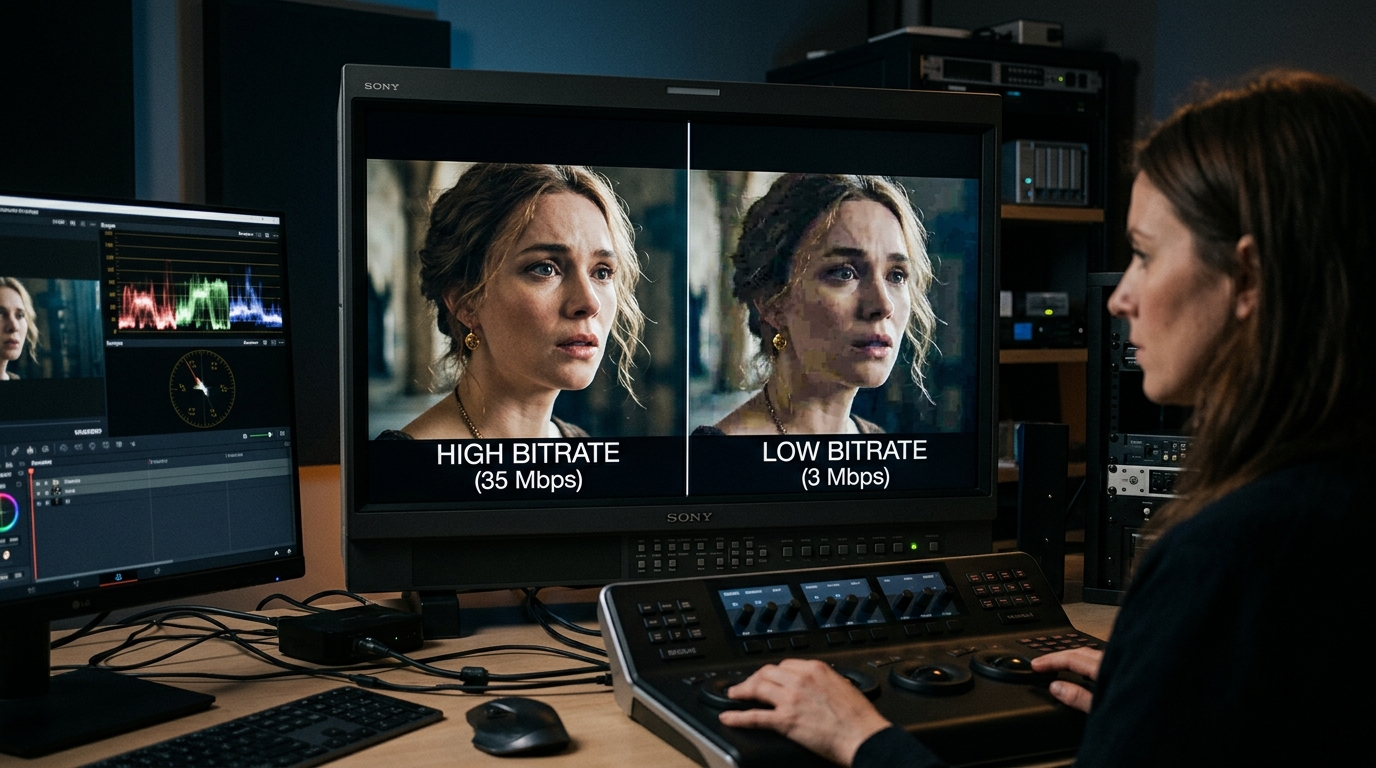
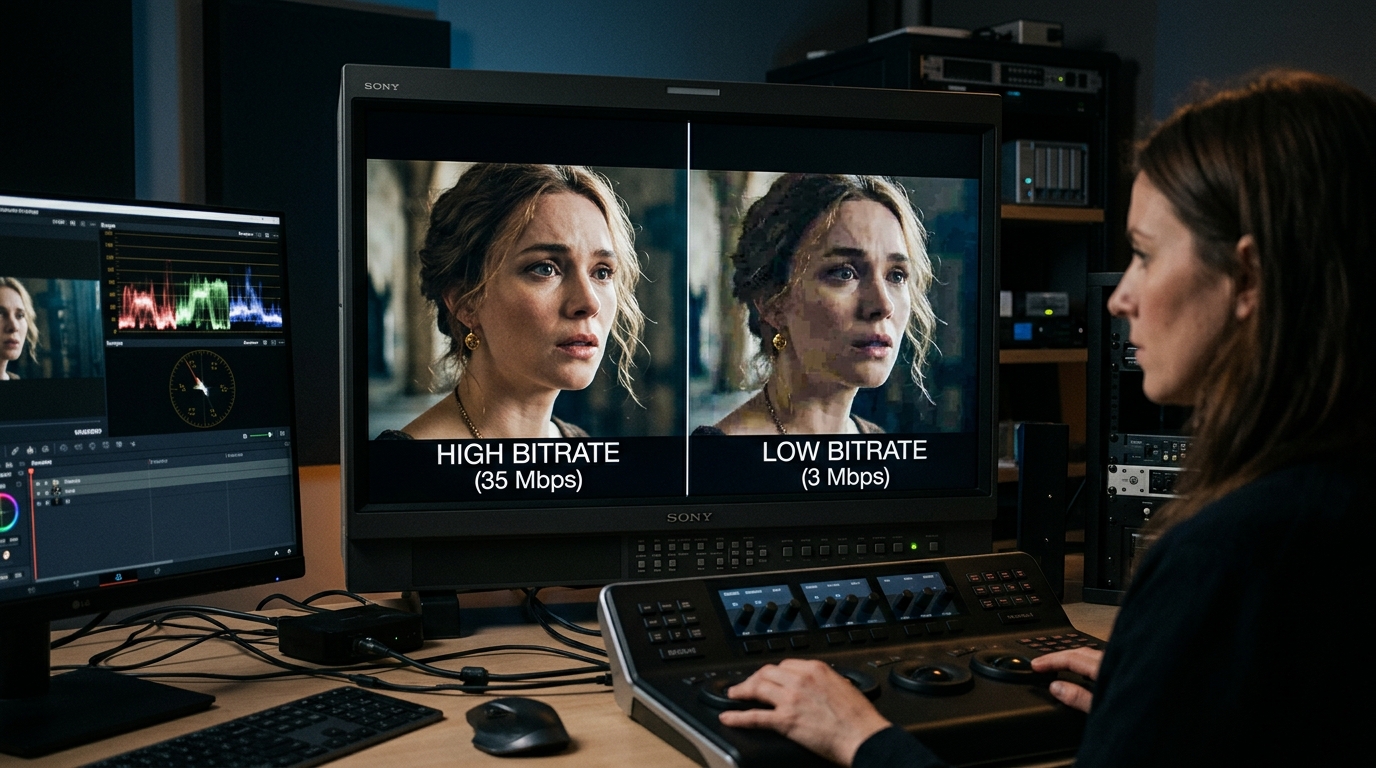
When bandwidth constraints force an encoder to compress 8.3 million pixels (4K) into a restrictive bitrate, aggressive quantization produces severe macroblocking, mosquito noise, and temporal smearing. In many network conditions, a well-allocated 1080p stream (2.1 million pixels) delivers visibly superior sharpness and fidelity.
This technical analysis explores the relationship between bitrate, quantization parameters (QP), bits per pixel (bpp), and perceptual quality.
1. The Bits Per Pixel (bpp) Metric Explained
To understand why starved 4K degrades, consider the mathematical allocation of bits across spatial and temporal dimensions. The formula for Bits Per Pixel per Frame (bpp) is calculated as: bpp = Bitrate in bps / (Width * Height * FrameRate).
- Scenario A (High-Bitrate 1080p): 1920x1080 at 30fps with 8,000 kbps allocation yields ~0.128 bpp. This provides ample headroom for fine textures and clean gradients.
- Scenario B (Starved 4K): 3840x2160 at 30fps with 10,000 kbps allocation yields ~0.040 bpp—over 300% fewer bits per individual pixel than the 1080p stream.
- Result: The encoder is forced to discard high-frequency DCT/DST coefficients, resulting in visible blurring and plastic-like smoothing in the 4K stream.
2. Quantization and the Macroblock Breakdown
When bitrate is constrained, the video encoder increases its Quantization Parameter (QP). Higher QP values divide frequency coefficients by larger factors, zeroing out subtle variations in color and luminance.
- Macroblocking: Uniform blocks appear in gradients (such as sunsets, dark scenes, and skies) as adjacent blocks lose fine chromatic differentiation.
- Mosquito Noise: High-frequency ringing artifacts appear around sharp contrasting edges like text, subtitles, or wireframes.
- Temporal Smearing: Inter-frame motion compensation fails to update complex textures, creating a swimming or boiling artifact in textures like grass, water, or confetti.
3. Netflix Per-Title & Convex Hull Encoding
In 2015, Netflix revolutionized OTT streaming by deprecating fixed bitrate ladders in favor of "Per-Title Encoding". Instead of sending 4K at 16 Mbps and 1080p at 5 Mbps regardless of content, an automated complexity analysis calculates the rate-distortion convex hull for each individual title.
- Low-complexity content (e.g., animations like BoJack Horseman) can achieve pristine 1080p quality at merely 1.5 Mbps.
- High-complexity content (e.g., Planet Earth with swaying foliage and water) requires significantly higher bitrate thresholds before stepping up to 4K resolution.
Format & Use Table
| Metric / Condition | Starved 4K Stream | Optimized 1080p Stream | Mastering 4K Stream |
|---|---|---|---|
| Resolution | 3840 x 2160 (8.29 MP) | 1920 x 1080 (2.07 MP) | 3840 x 2160 (8.29 MP) |
| Bitrate Allocation | 8,000 kbps | 8,000 kbps | 25,000 - 45,000 kbps |
| Bits Per Pixel (30fps) | ~0.032 bpp (Severe starvation) | ~0.128 bpp (Generous budget) | ~0.100 - 0.180 bpp (Pristine) |
| Quantization Parameter | High QP (32 - 38) | Low QP (18 - 22) | Low QP (16 - 20) |
| High-Motion Artifacts | Frequent blocking, smearing | Crisp edges, stable motion | Virtually uncompressed fidelity |
| Perceptual VMAF Score | ~78 - 84 | ~93 - 96 | ~98+ |
Step-by-Step Workflow
Measure video bitrate accurately: ffprobe -v error -select_streams v:0 -show_entries stream=bit_rate -of default=noprint_wrappers=1 file.mp4
Calculate average frame size and packet distribution: ffprobe -v error -show_packets -select_streams v:0 file.mp4
Encode clean 1080p using Constant Rate Factor: ffmpeg -i input.mov -vf "scale=1920:1080" -c:v libx264 -crf 20 -preset slow -c:a aac output_1080p.mp4
Test bitrate variation with 2-pass constrained VBR: ffmpeg -i input.mov -vf "scale=1920:1080" -c:v libx264 -b:v 6000k -maxrate 9000k -bufsize 12000k -pass 1 -f null NUL && ffmpeg -i input.mov -vf "scale=1920:1080" -c:v libx264 -b:v 6000k -maxrate 9000k -bufsize 12000k -pass 2 output_2pass.mp4
Frequently Asked Questions
Why does 4K YouTube look sharper on my 1080p monitor?
YouTube allocates a significantly higher bitrate ladder to 4K uploads (often 15-25 Mbps vs 3-5 Mbps for 1080p). When playing a 4K stream on a 1080p screen, downsampling a high-bitrate stream provides superior chroma resolution (4:4:4 equivalent) compared to watching YouTube compressed native 1080p stream.
What is the optimal CRF value for 1080p video?
For x264 and x265, a CRF (Constant Rate Factor) between 18 and 22 is widely considered visually transparent. Each decrease of 6 points roughly doubles the file size.
How do frame rates impact the bitrate requirement?
A 60fps video delivers twice as many frames per second as a 30fps video. While inter-frame temporal compression means 60fps does not require 100% more bits, it typically demands 30% to 50% more bandwidth to avoid increased quantization.