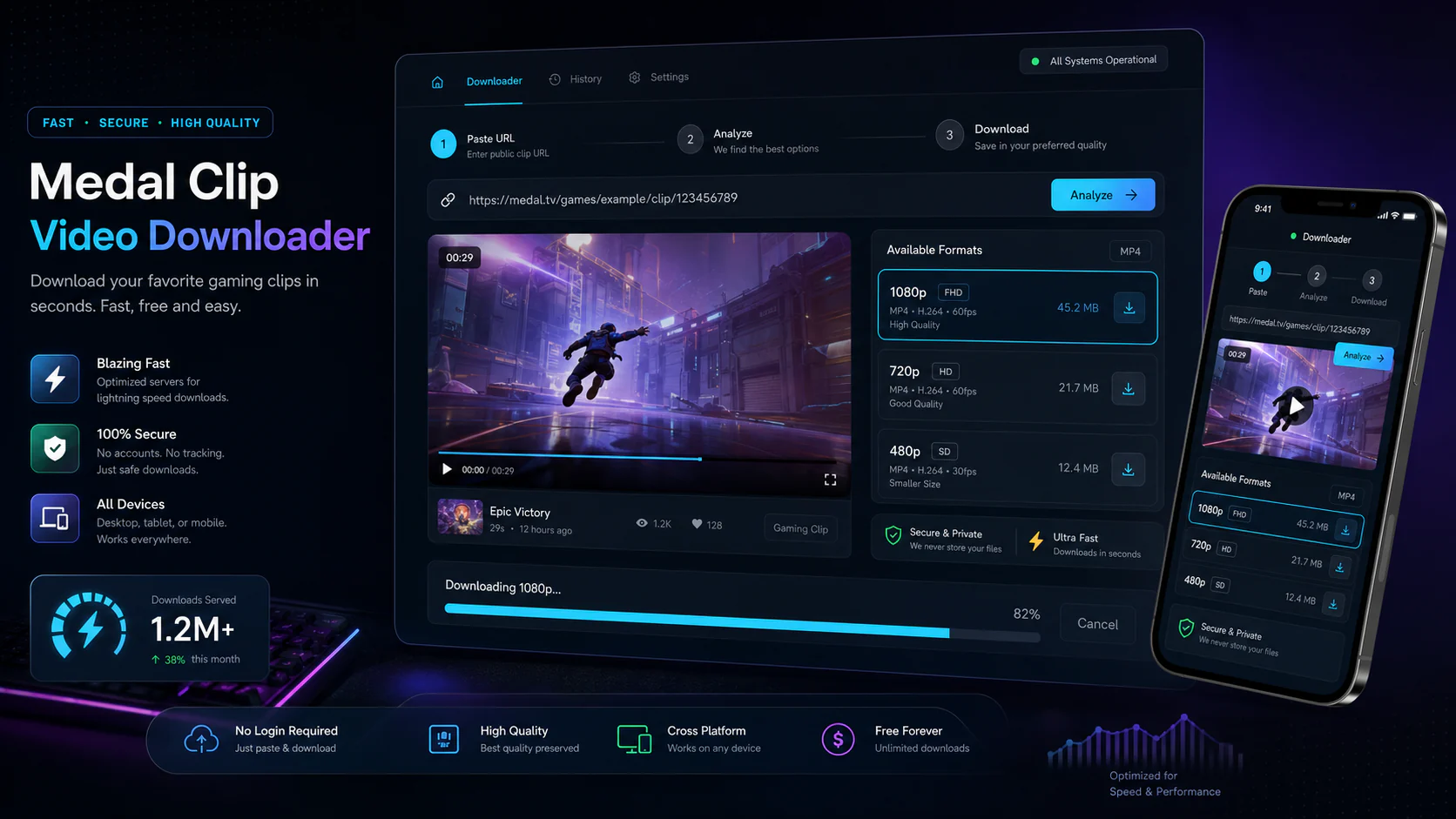
Medal downloader

Medal Video Downloader - Save Medal Clips Online

Paste a public Medal URL, review available formats, and save only when your use is lawful.

Paste any supported social video link
Public URLs only
Mobile-ready UI
Quick format check

focused downloader

Check Medal video formats quickly

Vidnabber's Medal downloader helps you check public Medal links for available HD MP4 video options with a clean, browser-based workflow. It is built for people who need medal video downloader, medal clip downloader, and a faster way to handle public public Medal clips and videos they are allowed to save.

Vidnabber is designed for public links and quick checks: paste the URL, review detected quality options, and save a format only when your use is lawful and authorized. For Medal, that means a focused page for medal video downloader, medal clip downloader, save medal clip without unnecessary steps.

medal video downloadermedal clip downloadersave medal clipmedal mp4 downloader

Step 1

Copy video link

Copy the public post, clip, stream, or audio URL from the source platform.

Step 2

Paste URL

Drop the link into Vidnabber and let the analyzer detect available media.

Step 3

Click Download

Choose a detected MP4, WebM, MP3, or M4A option when available.

Step 4

Save responsibly

Save the file only when you own it, have permission, or may lawfully access it.

long-form guide

Medal downloader guide for authorized video saves

Everything you need to know before using the Medal downloader.

What is the Medal downloader?

The Medal downloader is a focused Vidnabber page for checking public Medal URLs and showing formats exposed by the source. Instead of moving through cluttered tools or confusing popups, you get a modern interface that detects the source, presents available qualities, and keeps the download flow simple.

Focused on public Medal links and clear format choices.
Supports public Medal links when downloadable media is available.
Keeps the experience readable on desktop and mobile screens.
Shows format choices before you commit to a download.

Best use cases for Medal video downloads

This page works best when you already have a public Medal URL and want to save a lawful copy for editing, reference, offline viewing, research, or content planning. Vidnabber keeps the flow conversational: copy the source link, paste it into the analyzer, review the detected media, and choose the output that matches your device.

Gaming clip URLs for public Medal links.
MP4 output for public Medal links.
Creator clip archive for public Medal links.
Mobile saves for public Medal links.

Formats, quality, and compatibility

Available formats depend on the original Medal link. When a source exposes media streams, Vidnabber can show common formats such as MP4, WebM, MP3, or M4A. The important part is speed and clarity: the page explains what can be downloaded and keeps unsupported cases understandable.

MP4 and WebM video choices when detected.
HD badges and quality labels help users choose quickly.
The same page works for phone, tablet, laptop, and desktop browsers.
Public-link policy keeps the workflow simple and transparent.

use cases

Why this Medal page is useful

Focused help for common platform download tasks.

01

Gaming clip URLs

Clear steps for this use case, with the same Vidnabber format picker.

02

MP4 output

Clear steps for this use case, with the same Vidnabber format picker.

03

Creator clip archive

Clear steps for this use case, with the same Vidnabber format picker.

04

Mobile saves

Clear steps for this use case, with the same Vidnabber format picker.

features

Medal downloader features

A modern downloader page should be fast, readable, and useful before the first click.

Fast URL analysis

Paste a public Medal URL and let Vidnabber check available formats without a heavy setup flow.

MP4 format options

Choose from detected video options such as MP4 or WebM when the source provides them.

Private by design

No account is needed for the core downloader flow, and the page is designed around public links and lawful-use expectations.

Mobile-ready interface

The Medal downloader is responsive, touch-friendly, and easy to use from modern mobile browsers.

how to download

How to save Medal videos responsibly

A simple four-step flow optimized for featured snippets and quick answers.

Step 1

Copy video link

Copy the public post, clip, stream, or audio URL from the source platform.

Step 2

Paste URL

Drop the link into Vidnabber and let the analyzer detect available media.

Step 3

Click Download

Choose a detected MP4, WebM, MP3, or M4A option when available.

Step 4

Save responsibly

Save the file only when you own it, have permission, or may lawfully access it.

benefits

Why use Vidnabber for Medal?

Cleaner than generic download pages

The page is dedicated to Medal, so the headings, FAQs, and instructions match the platform users are searching for.

Written for real downloader tasks

Helpful guidance for medal video downloader, medal clip downloader, format checks, and public-link saves is placed naturally throughout the page.

Useful before and after analysis

Users can learn the supported flow, understand format availability, and jump directly into the downloader without leaving the page.

mobile support

Mobile-friendly Medal downloads

Use the Medal downloader from iPhone, Android, tablets, laptops, and desktop browsers. Copy the public Medal link from the app or website, open Vidnabber in your browser, paste the URL, and choose an available format. The layout keeps the URL input, quality cards, and CTA buttons readable on smaller screens.

Works in modern mobile browsers
No app install required
Responsive format picker
Clean touch-friendly controls
downloader notes

Formats, devices, and policy

Output formats

Medal results can include video or audio streams when available.

Works on mobile

Responsive, touch-friendly pages for phones, tablets, and desktop.

Respect source rules

Save content you own, have permission to use, or can legally access.

Unsupported platforms

Some platforms are detected before analysis and shown with a clear not-supported message.

faq

Medal downloader FAQ

Quick answers for this platform.

How do I use the Medal downloader?

Paste a public Medal URL, check formats, and download an available file only when you own the content, have permission, or may lawfully access it.

Can I download Medal videos on mobile?

Yes. It works on modern phones, tablets, and desktop browsers.

What formats are available for Medal?

Formats depend on the source link. Vidnabber can show MP4, WebM, MP3, or M4A when detected.

Can I check Medal links without an account?

Yes. You can paste a public Medal URL and check available formats directly in the browser, subject to fair-use limits and source availability.

Can I use the Medal downloader without installing an app?

Yes. Vidnabber works in modern browsers, so you can use the Medal downloader on mobile or desktop without installing extra software.

What happens if a platform is not supported?

Vidnabber shows a clear not-supported message and lets you try another supported public video link.

all platforms

Explore every supported source

Find the right downloader for each supported source.

Start with a Medal URL now

Use Vidnabber to analyze a public Medal URL, choose an available video format, and save it with a clean mobile-friendly downloader when your use is lawful and authorized.

Back to downloader